Connect Frontpiece to Claude Code and Codex
https://www.frontpiece.ai/api/v1/mcpConnect Frontpiece to Claude Code
- Add the server in your terminal.
claude mcp add --transport http frontpiece https://www.frontpiece.ai/api/v1/mcp - Type /mcp, choose frontpiece and sign in with your Frontpiece account.
- Ask Claude to make a listing kit from a product link.
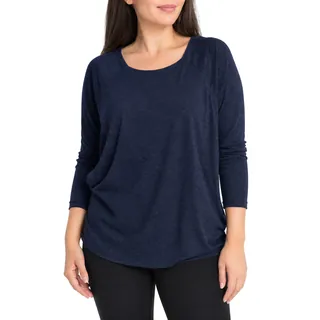
Listing kit for the Bliss top
Make a listing kit for this product link.
frontpiecegenerate_kitfrontpieceget_kit
Your Bliss listing kit is ready.


Reply to Claude
What you can ask
- Make a listing kit from a product link.
- Edit, add or restore a gallery image.
- Update listing copy and Amazon A+ modules.
- Get a share link for a finished kit.
MCP tools
get_account, create_product, list_products, generate_kit, get_kit, list_kits, get_share_link, edit_image, add_image, remove_image, restore_image, reorder_images, restore_version, remove_aplus_module, edit_aplus_module, add_aplus_module, use_aplus_module, reorder_aplus_modules, update_listing_copy
REST API and reference
Use an API key as a Bearer token to work with Frontpiece from your own code.
Read the API and MCP reference →Questions
- Which clients have been tested?
- Claude Code and Codex. Other clients that support Streamable HTTP and OAuth may also connect.
- How do I sign in?
- Sign in with your Frontpiece account in the browser, or use an API key as a Bearer token.
- What does it cost?
- Each kit uses one kit from your plan or kit packs, as in the app. Failed kits are refunded. Your free kit can only be made in the app.
- How do I disconnect?
- Open Connected apps in Settings.