Connect Frontpiece to your AI assistant

https://www.frontpiece.ai/api/v1/mcp

Connect your assistant

Connect Frontpiece to Claude Code

  1. If Frontpiece already appears in /mcp through your Claude account, use it there. Otherwise add the server in your terminal.
    claude mcp add --transport http frontpiece https://www.frontpiece.ai/api/v1/mcp
  2. Type /mcp, choose frontpiece and sign in with your Frontpiece account.
  3. Ask Claude to make a listing kit from a product link.
Listing kit for the Lodge skillet

Make a listing kit for the Lodge 5.5 inch pre-seasoned cast iron skillet. https://www.amazon.com/dp/B000809QN4

frontpiecegenerate_kitfrontpieceget_kit

Your Lodge 5.5 inch skillet listing kit is ready.

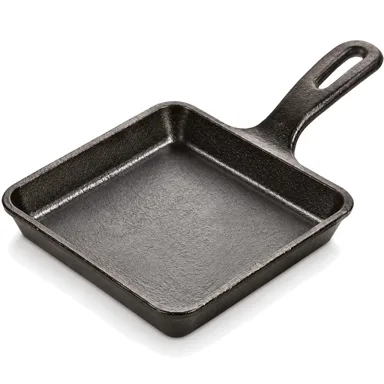
Lodge 5.5 inch cast iron skillet, main image
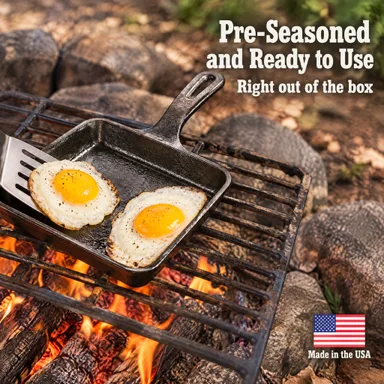
Lodge 5.5 inch cast iron skillet, pre-seasoned and ready to use
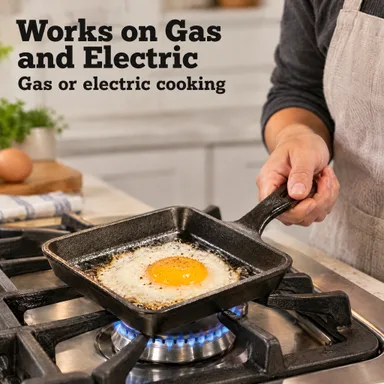
Lodge 5.5 inch cast iron skillet, gas and electric cooking
View kit
Reply to Claude

What you can ask

Make a kit from a product link

Make a Shopify listing kit from [product link], then show me the finished images and copy.

create_product · generate_kit · get_kit

Fix one image

In [kit ID], restore image [image ID] to its original, then edit the whole image to remove the extra prop on the right.

get_kit · restore_version · edit_image

Update copy and A+ (Amazon only)

In [kit ID], change the Amazon title to [new title] and move the last A+ module to the first position.

get_kit · update_listing_copy · reorder_aplus_modules

Share a finished kit

Get a public share link for finished kit [kit ID].

get_kit · get_share_link

Check your account and kits

Show my plan, how many kits I can start and the status of my five newest kits.

get_account · list_kits

All tools in the API reference

All 35 tools

  • Get account: get_account
  • Create product: create_product
  • List products: list_products
  • Generate listing kit: generate_kit
  • Get kit: get_kit
  • List kits: list_kits
  • Get share link: get_share_link
  • Edit or redo an image: edit_image
  • Add a gallery image: add_image
  • Upload your own image: upload_image
  • Remove an image: remove_image
  • Restore an image: restore_image
  • Reorder the gallery: reorder_images
  • Restore an image version: restore_version
  • Make main image options: main_image_options
  • Set the main image: set_main_image
  • Add a lifestyle photo: add_campaign_image
  • Remove an A+ module: remove_aplus_module
  • Edit an A+ module: edit_aplus_module
  • Add an A+ module: add_aplus_module
  • Use an A+ module: use_aplus_module
  • Reorder the A+ modules: reorder_aplus_modules
  • Update listing copy: update_listing_copy
  • Translate a finished kit: translate_kit
  • List kit translations: list_translations
  • Submit a kit batch: generate_kit_batch
  • Read kit batch results: get_kit_batch
  • Register a completion webhook: create_webhook
  • List completion webhooks: list_webhooks
  • Get a completion webhook: get_webhook
  • Update a completion webhook: update_webhook
  • Delete a completion webhook: delete_webhook
  • Test a webhook: test_webhook
  • Read webhook delivery log: list_webhook_deliveries
  • Replay a failed webhook delivery: replay_webhook_delivery
Manage connected apps

Building with your own code?

Explore the API

Questions